
Writing a resume should not require a PhD. But if you search "how to write a resume" online, you will find hundreds of contradictory articles, most of them written by content marketers who have never hired anyone. Some say your resume should be one page. Others say two pages are fine. Some recommend an objective statement. Others say never use one. No wonder people are confused.
I am going to cut through all of that noise. Having spent years on the hiring side of the table, reviewing thousands of resumes for roles ranging from entry-level coordinator positions to senior engineering directors, I can tell you exactly what works and what does not. This guide walks you through every step of writing a resume, from blank page to finished document, with specific examples at every stage.
This is not a surface-level overview. This is a complete A-to-Z walkthrough that covers what to write, how to phrase it, what format to use, how to beat ATS software, and how to tailor your resume for every application. Bookmark this page because you will come back to it.
Before You Write a Single Word: Understanding How Resumes Are Read
Before we get into the step-by-step process, you need to understand something that changes everything: your resume is read by a machine before it is read by a human. Roughly 75% of companies use Applicant Tracking Systems (ATS) to filter resumes. These systems parse your document, extract data, and score it against the job description. If your resume does not match enough keywords or cannot be parsed correctly, it never reaches a human recruiter.
Even when your resume does reach a recruiter, research from TheLadders shows they spend an average of 7.4 seconds on an initial scan. That is not a typo. In roughly seven seconds, recruiters decide whether to keep reading or move to the next candidate. This means your resume needs to pass two tests: machine readability and instant human impact.
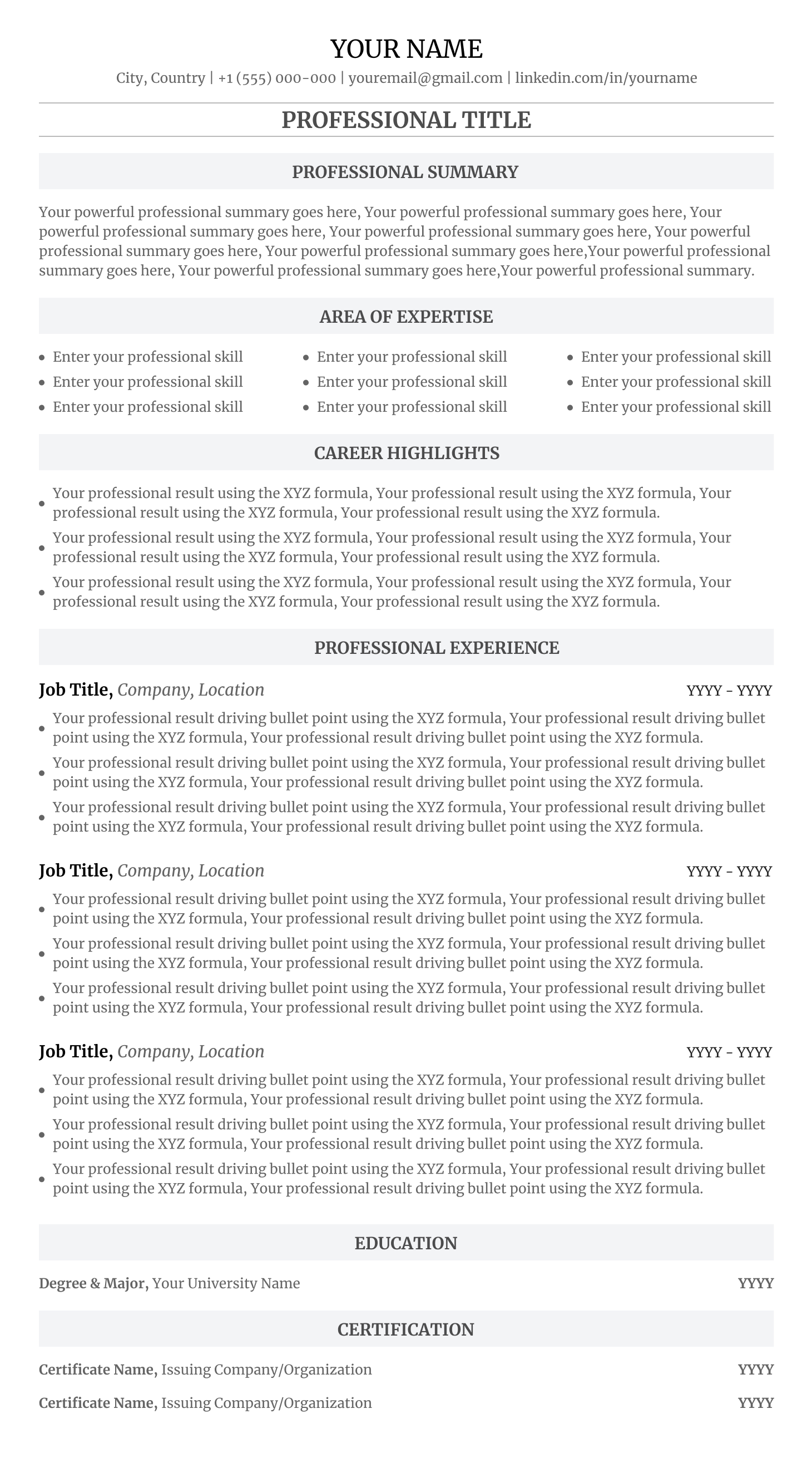
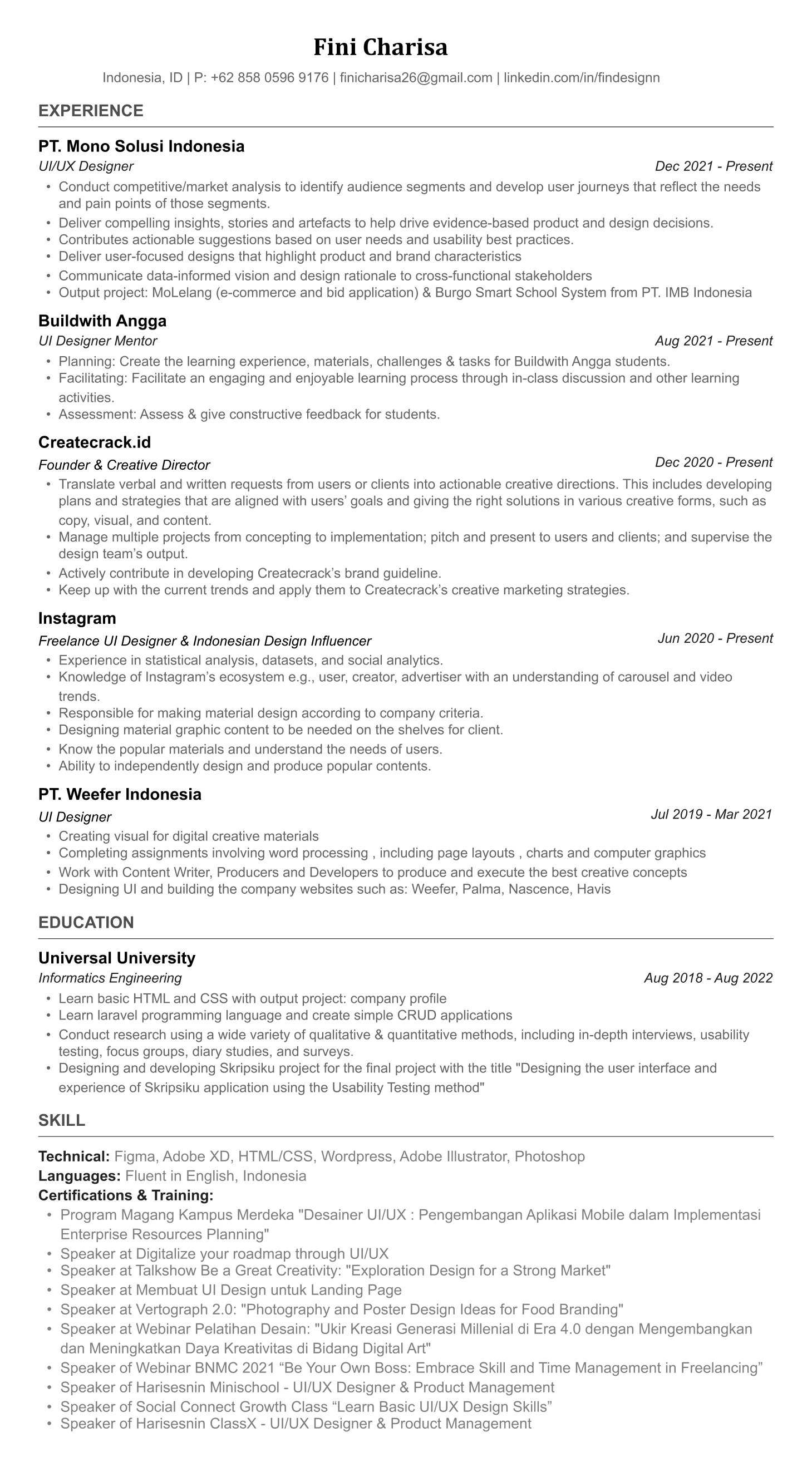
Your resume needs to pass two gatekeepers: ATS software that parses the content, and a recruiter who scans it in under 8 seconds.
Step 1: Choose the Right Resume Format and Layout
Your resume format sets the stage for everything that follows. The resume layout you choose determines how a recruiter scans your document and which information they see first. There are three main resume formats, and the right choice depends on your career situation.
Reverse chronological format (recommended for 90%+ of candidates)
This is the standard resume format that 92% of recruiters prefer. Your most recent job goes at the top, followed by previous positions in reverse order. This resume layout works because it immediately answers the recruiter question: "What has this person been doing most recently?" If you have a clear career progression with no major gaps, this is the right format for you.
The reverse chronological structure is also the most ATS-compatible format. Every major ATS platform (Workday, Greenhouse, Lever, iCIMS, Taleo) is designed to parse this layout. The section order should be: Contact Information → Professional Summary → Work Experience → Education → Skills → Additional Sections.
Functional format (skills-based) — use with caution
A functional resume format groups your experience by skill category rather than by employer. Some career coaches recommend this for career changers or people with employment gaps. In practice, most recruiters dislike functional resumes because they feel like you are hiding something. I only recommend this format in very specific situations, like if you are transitioning from military service to civilian work and need to translate your experience into business language.
Important: many ATS systems struggle to parse functional resumes because they do not follow the expected chronological structure. The system may not correctly associate your skills with specific employers or timeframes, which reduces your ATS score.
Combination (hybrid) format
A combination resume format blends elements of both: a prominent skills section at the top, followed by reverse chronological work history. This can work well for senior professionals with 10+ years of experience who want to highlight their overall expertise while still showing career progression. It is also effective for people making a career change who have relevant skills from different industries.
If you are unsure which format to use, choose reverse chronological. It is the safest, most broadly accepted, and most ATS-friendly option. You can never go wrong with it.
William Clarkson
JUNIOR ACCOUNTANT
PROFESSIONAL SUMMARY
Results-driven Junior Accountant with a Bachelor of Business Administration in Accounting and ongoing pursuit of CPA certification. Demonstrated expertise in financial analysis, reporting, and accounting software implementation. Proven track record of delivering measurable results, including a 10% reduction in unnecessary expenses through strategic analysis and a 20% increase in efficiency through software integration. Recognized for accuracy, efficiency, and commitment to compliance with GAAP and regulatory standards.
EDUCATION
Bachelor of Business Administration Accounting
University of California, Davis
EXPERIENCE
Junior Accountant - Green Balance, Davis, CA
- Conducted monthly financial analysis to identify variances and trends, resulting in a 10% reduction in unnecessary expenses.
- Assisted in the preparation of quarterly financial statements, ensuring accuracy and compliance with regulatory standards.
- Implemented new accounting software, resulting in a 20% increase in efficiency in financial reporting processes.
- Managed accounts payable and accounts receivable functions, reducing outstanding balances by 15% within six months.
- Reconciled bank statements and resolved discrepancies, leading to a 98% accuracy rate in financial records.
Accounting Assistant - FinoPro, Davis, CA
- Assisted senior accountants in preparing tax returns for clients, resulting in a 20% decrease in errors compared to the previous year.
- Conducted audits of financial transactions to ensure compliance with internal policies and regulatory requirements.
- Provided support in month-end closing activities, including journal entries and balance sheet reconciliations.
TECHNICAL SKILLS
- Account Monitoring
- Financial Modeling
- Tax Planning
- Accounts Payable
- Cost Accounting
- Financial Reporting
- Account Analysis
- Account Reconciliation
- Financial Analysis
- Accounts Receivable
- Invoicing
- Payroll
- Auditing
- Excel
- QuickBooks
- Organizational Skills
- Problem-Solving
- Communication Skills
- Generally Accepted Accounting Principles (gaap)
- Analytical Skills
- Data Visualization
- Adp Workforce Now
- Expensify
CERTIFICATIONS
A clean, modern layout that works perfectly for the reverse-chronological format.
Use This TemplateStep 2: Set Up Your Contact Information (The Right Way)
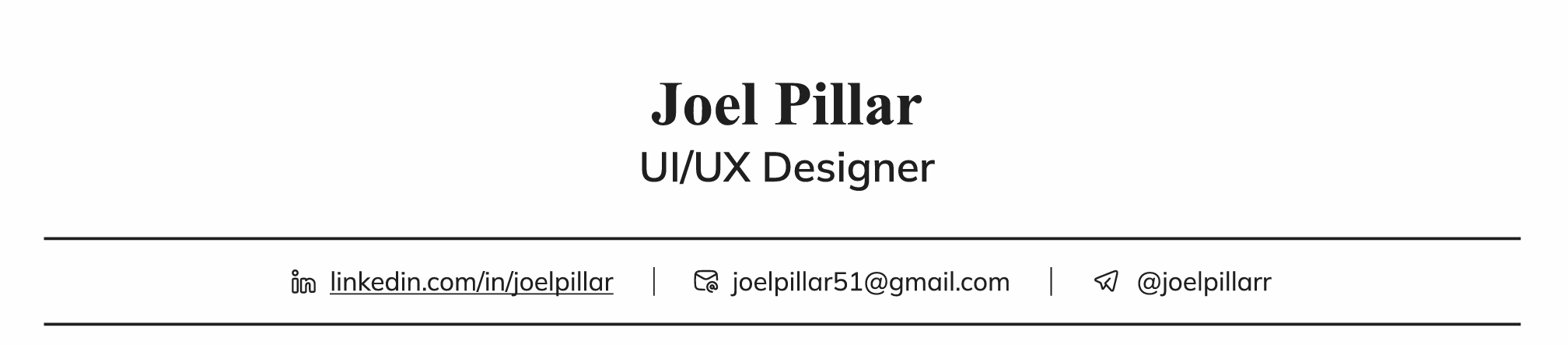
This seems simple, but more people get it wrong than you would expect. Your contact section goes at the very top of your resume and should include exactly these elements, in this order:
- •Location — City and state (or city and country) are sufficient. You do not need to include your full street address. Many applicants just write "New York, NY" or "Remote — Based in London, UK."


What NOT to include in your contact section
- •Date of birth or age — Not relevant in most countries and can trigger bias.
- •Photo — Unless applying in countries where it is standard (Germany, parts of Asia), leave it off. In the US, UK, Canada, and Australia, photos are not recommended.
- •Full home address — No recruiter needs your street address at the resume stage.
- •Social media handles — Unless you are applying for a social media role, do not include Instagram or Twitter.
- •Marital status or nationality — Irrelevant at this stage and potentially problematic.
Your contact section should be clean and scannable. Name, phone, email, LinkedIn, location — nothing more.
Step 3: Write a Professional Summary That Hooks the Reader in 3 Seconds
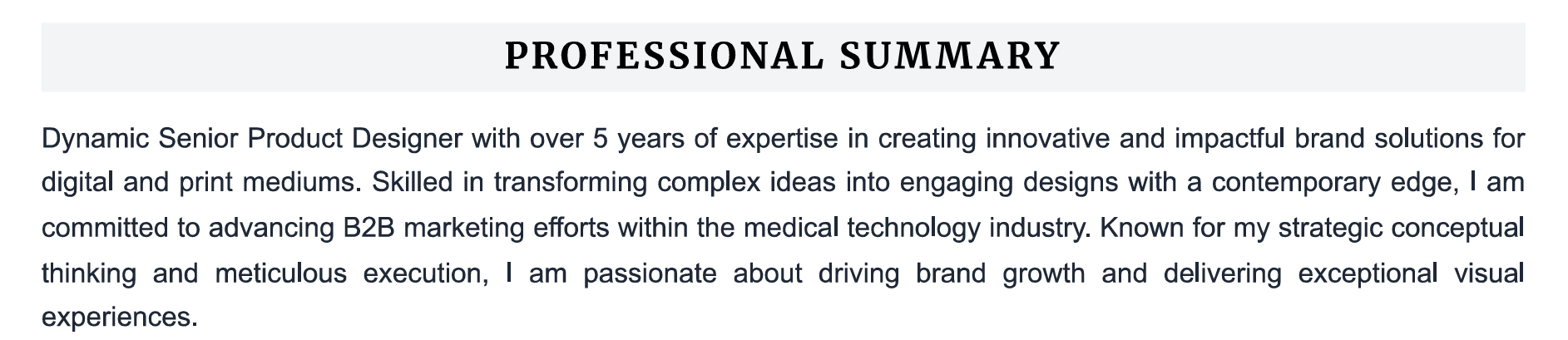
Your professional summary is the first thing a recruiter reads after your name. It should be 2-4 sentences that summarize who you are professionally, what you specialize in, and what results you deliver. Think of it as your elevator pitch in written form. This single section can determine whether the recruiter keeps reading or moves on.
The professional summary formula
Use this structure: [Job Title] with [X years] of experience in [specialization/industry]. [Key achievement with metrics]. Specialize in [core skill 1], [core skill 2], and [core skill 3 or tool]. This formula forces you to be specific, concise, and value-focused.
Bad vs. good professional summary examples
BAD: "Hardworking professional seeking a challenging role where I can utilize my skills and grow with the company." — This says absolutely nothing specific. It could be written by anyone for any job. There are no numbers, no skills, no industry focus. It communicates zero value.
GOOD: "Operations Manager with 8 years of experience optimizing supply chain processes for mid-market retail companies. Reduced logistics costs by 23% ($1.2M annually) at Acme Corp through vendor renegotiation and route optimization. Specialize in Lean Six Sigma implementation, team leadership (12-15 direct reports), and ERP system migrations (SAP, Oracle)." — This tells the recruiter exactly what you do, how well you do it, and what tools you use.
BAD: "Recent graduate looking for an entry-level position in marketing." — Wastes space stating the obvious.
GOOD: "Marketing graduate from NYU with hands-on experience managing $15K social media ad budgets through internship at FinTech startup. Created content campaigns that grew Instagram following from 2K to 18K in 4 months. Proficient in Google Analytics, Meta Ads Manager, Canva, and HubSpot." — Even with limited experience, this is compelling because it shows real results.


When to use a resume objective instead
A resume objective is appropriate only if: (1) you are making a complete career change and need to explain why, or (2) you are applying for your very first job and have zero relevant experience. In all other cases, a professional summary is more effective because it focuses on what you offer, not what you want.
Step 4: Build Your Work Experience Section — The Core of Your Resume
The work experience section is the most important part of your resume. This is where recruiters spend the most time and where ATS systems extract the most data. Each position should include: Job Title (bolded), Company Name, City/State, Employment Dates (Month Year — Month Year), followed by 3-5 bullet points describing your key achievements.
The single most important rule for your work experience section: write about what you achieved, not what you were responsible for. Duties tell the recruiter what the role required. Achievements tell them what you actually delivered. One describes a job. The other describes a performer.
The achievement bullet point formula
Every bullet point should follow this structure: Strong Action Verb + What You Did + Quantified Result. This formula ensures every bullet communicates impact, not just activity.
- •WEAK: "Managed a team of engineers." → STRONG: "Led a cross-functional team of 8 engineers and 3 designers to deliver a $500K product launch 2 weeks ahead of schedule."
- •WEAK: "Handled customer complaints." → STRONG: "Resolved 95% of escalated customer issues within 4 hours, contributing to a 12-point increase in NPS score (from 42 to 54)."
- •WEAK: "Worked on marketing campaigns." → STRONG: "Executed a targeted email campaign across 45K subscribers that generated 2,400 qualified leads and $340K in pipeline within 6 weeks."
- •WEAK: "Responsible for sales in my territory." → STRONG: "Exceeded annual sales quota by 28% ($1.4M in revenue), ranking #2 out of 45 sales representatives nationally."
- •WEAK: "Improved the onboarding process." → STRONG: "Redesigned the customer onboarding workflow using automated email sequences and in-app guides, reducing time-to-activation from 14 days to 3 days and improving 90-day retention by 18%."
50 powerful action verbs to start your bullet points
The verb you start with sets the tone. Avoid passive words like "Assisted with" or "Helped." Start with verbs that convey ownership and impact.
- •Leadership: Led, Directed, Managed, Oversaw, Coordinated, Spearheaded, Mentored, Supervised, Guided, Championed
- •Achievement: Achieved, Exceeded, Surpassed, Delivered, Outperformed, Attained, Earned, Secured, Won, Captured
- •Creation: Developed, Built, Designed, Created, Launched, Established, Initiated, Introduced, Pioneered, Architected
- •Improvement: Optimized, Streamlined, Enhanced, Revamped, Modernized, Transformed, Accelerated, Consolidated, Simplified, Automated
- •Analysis: Analyzed, Evaluated, Assessed, Identified, Researched, Investigated, Diagnosed, Forecasted, Audited, Benchmarked
What if you do not have exact numbers?
Not every bullet needs a dollar figure or percentage. When you do not have metrics, highlight the purpose and scope of your work instead. "Implemented a new CRM workflow for the 12-person sales team, standardizing lead tracking and reducing duplicate data entry" is still specific and valuable, even without a percentage. Another technique: use approximations with "approximately," "over," or round numbers. "Trained approximately 30 new employees per quarter" is far better than "Trained new employees."
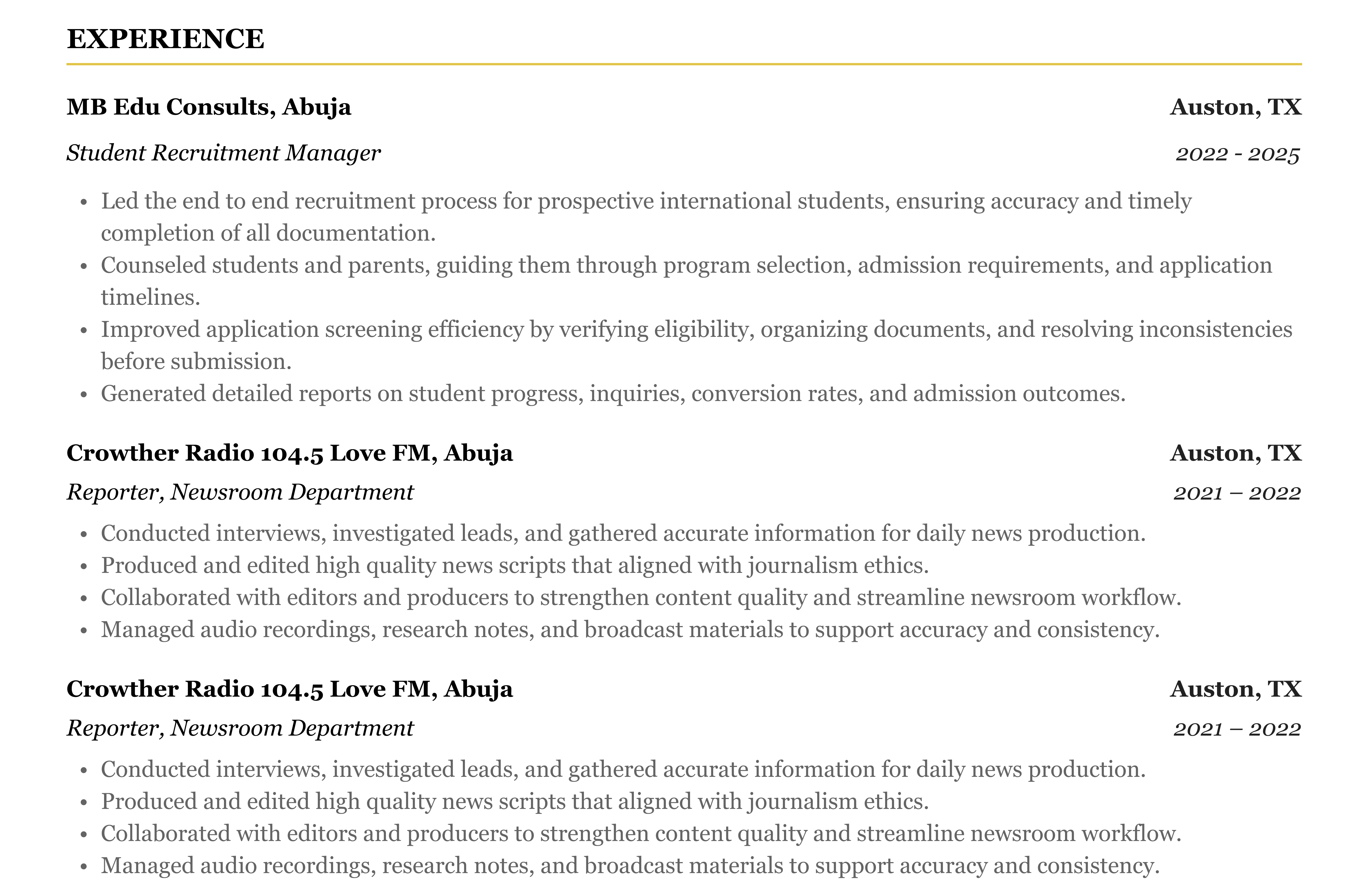
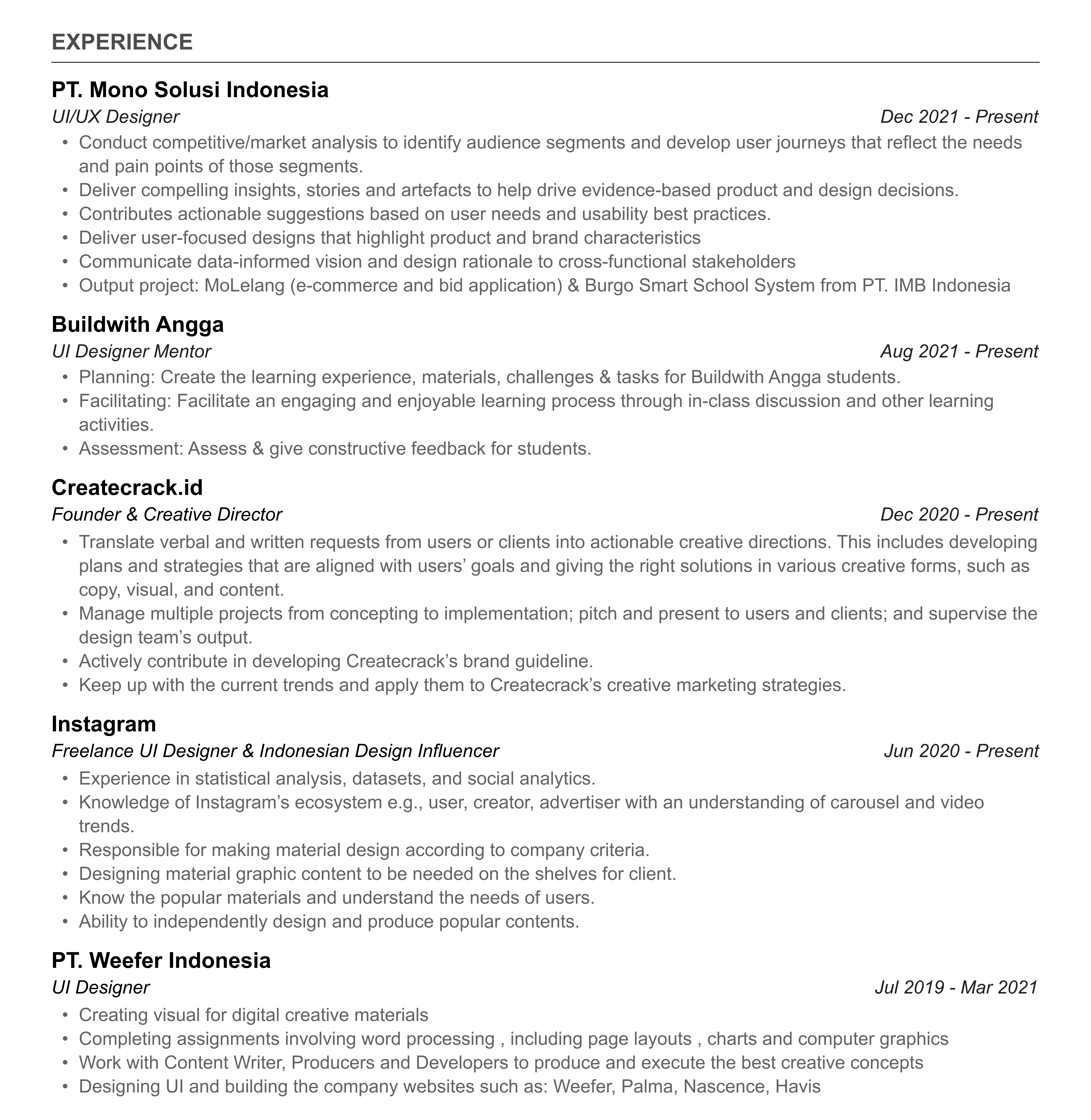
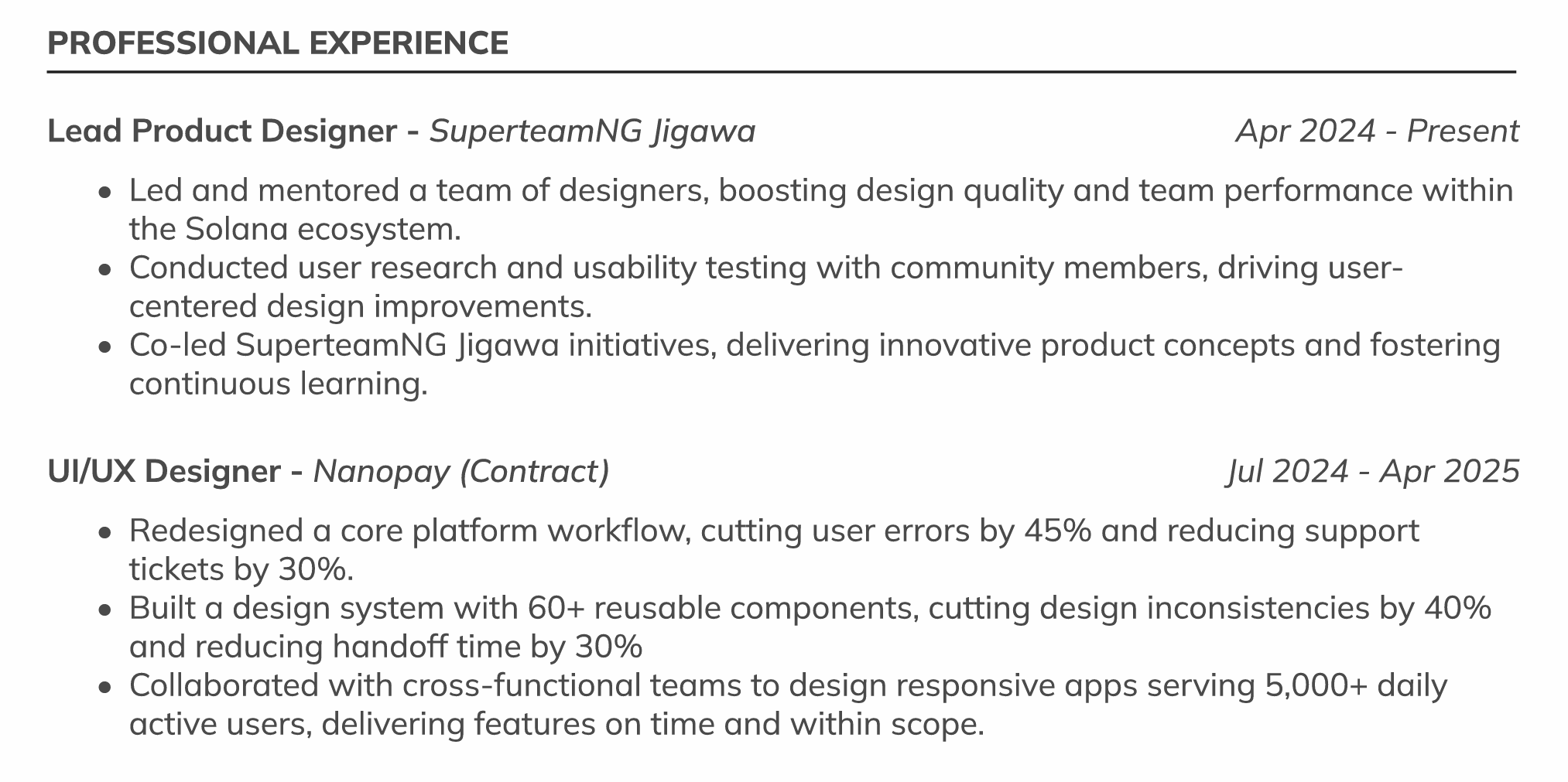
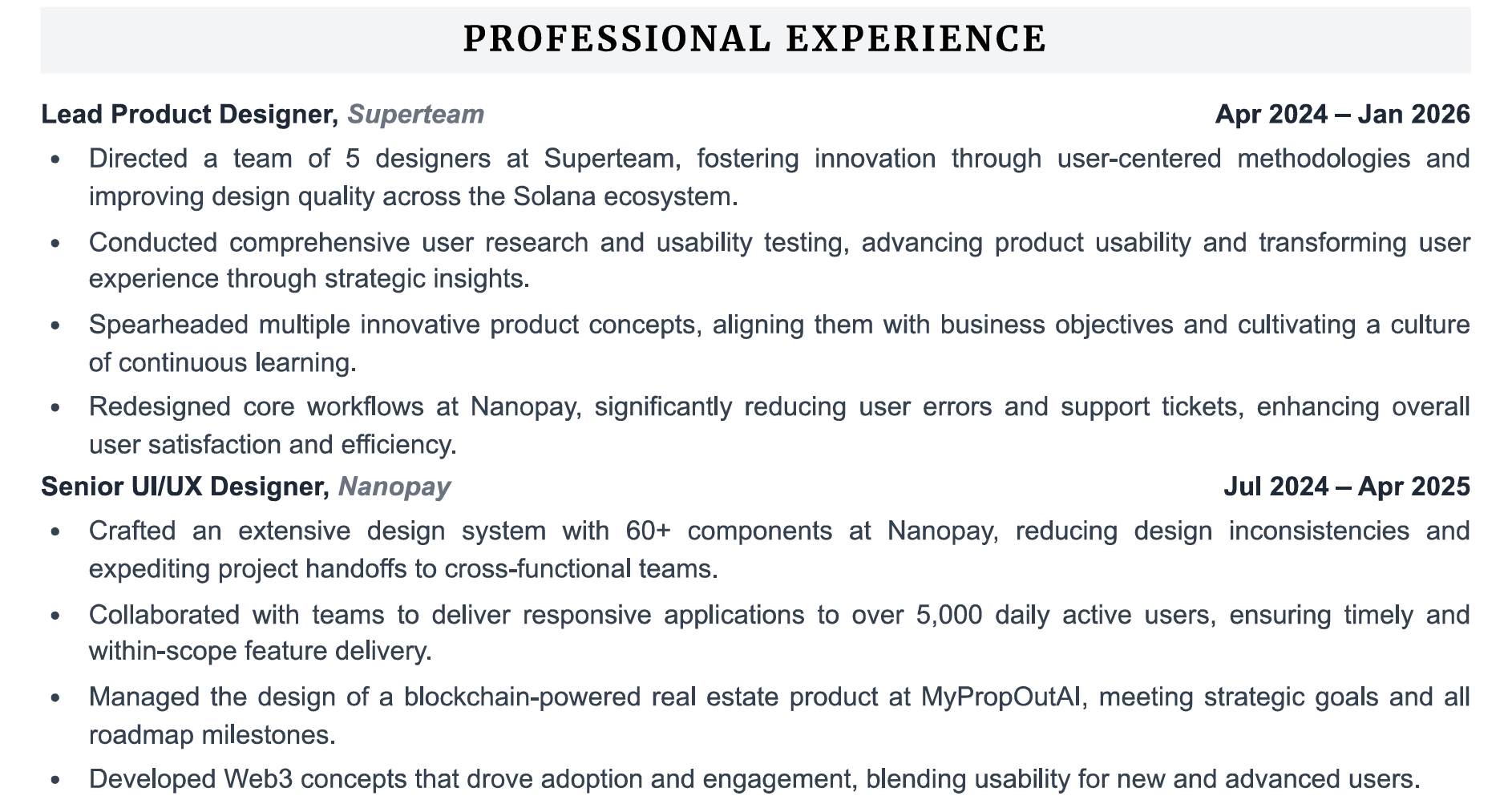
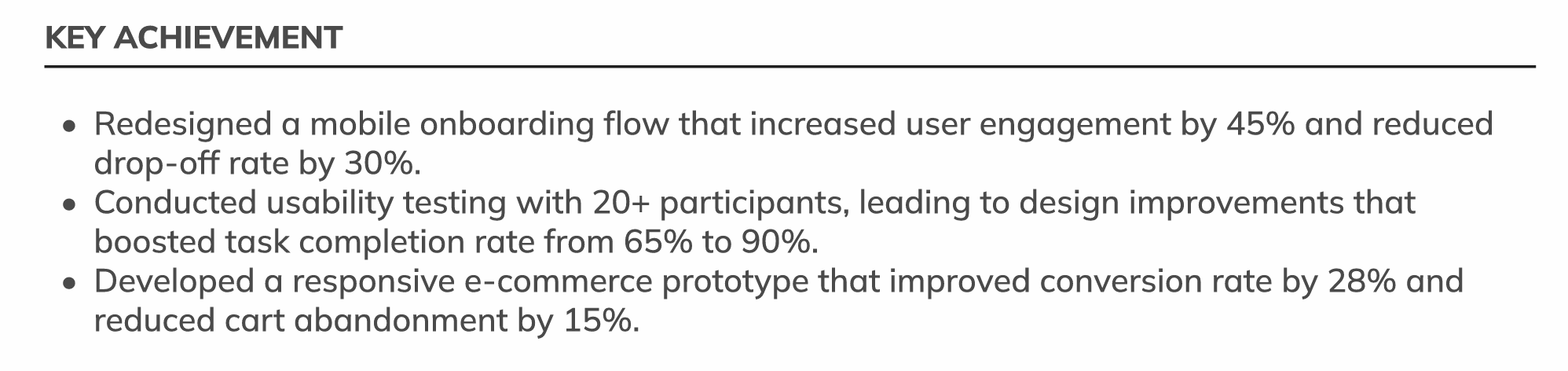
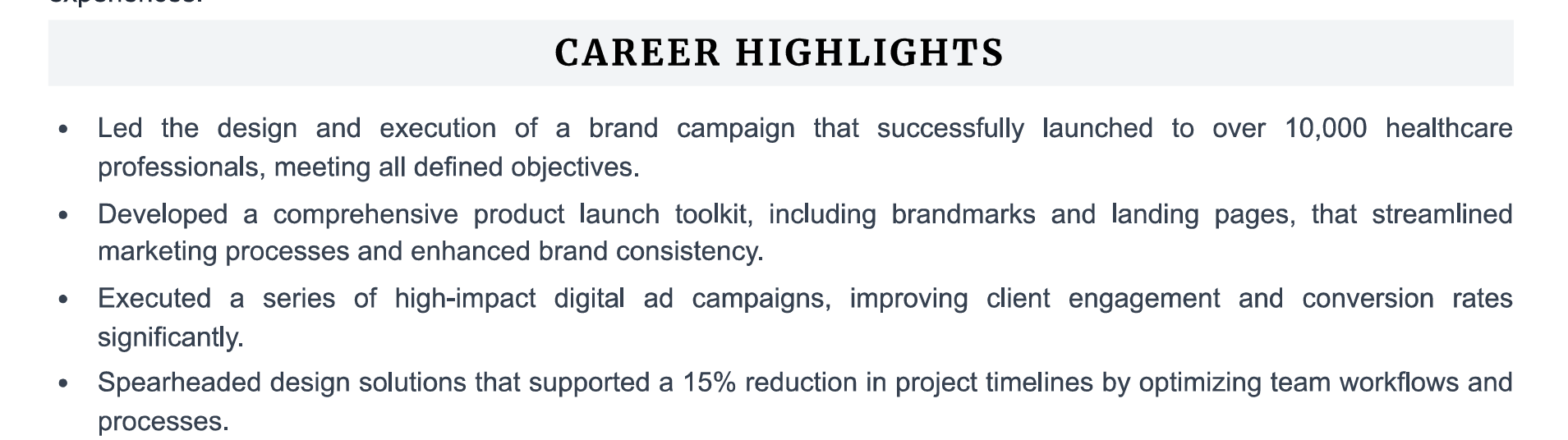
Achievement-focused bullet points with specific numbers are the single most impactful improvement you can make to any resume.
William Clarkson
JUNIOR ACCOUNTANT
PROFESSIONAL SUMMARY
Results-driven Junior Accountant with a Bachelor of Business Administration in Accounting and ongoing pursuit of CPA certification. Demonstrated expertise in financial analysis, reporting, and accounting software implementation. Proven track record of delivering measurable results, including a 10% reduction in unnecessary expenses through strategic analysis and a 20% increase in efficiency through software integration. Recognized for accuracy, efficiency, and commitment to compliance with GAAP and regulatory standards.
EDUCATION
Bachelor of Business Administration Accounting
University of California, Davis
EXPERIENCE
Junior Accountant - Green Balance, Davis, CA
- Conducted monthly financial analysis to identify variances and trends, resulting in a 10% reduction in unnecessary expenses.
- Assisted in the preparation of quarterly financial statements, ensuring accuracy and compliance with regulatory standards.
- Implemented new accounting software, resulting in a 20% increase in efficiency in financial reporting processes.
- Managed accounts payable and accounts receivable functions, reducing outstanding balances by 15% within six months.
- Reconciled bank statements and resolved discrepancies, leading to a 98% accuracy rate in financial records.
Accounting Assistant - FinoPro, Davis, CA
- Assisted senior accountants in preparing tax returns for clients, resulting in a 20% decrease in errors compared to the previous year.
- Conducted audits of financial transactions to ensure compliance with internal policies and regulatory requirements.
- Provided support in month-end closing activities, including journal entries and balance sheet reconciliations.
TECHNICAL SKILLS
- Account Monitoring
- Financial Modeling
- Tax Planning
- Accounts Payable
- Cost Accounting
- Financial Reporting
- Account Analysis
- Account Reconciliation
- Financial Analysis
- Accounts Receivable
- Invoicing
- Payroll
- Auditing
- Excel
- QuickBooks
- Organizational Skills
- Problem-Solving
- Communication Skills
- Generally Accepted Accounting Principles (gaap)
- Analytical Skills
- Data Visualization
- Adp Workforce Now
- Expensify
CERTIFICATIONS
A professional, results-oriented template that gives your work experience the space it deserves.
Use This TemplateStep 5: Write Your Education Section
How you handle the education section depends entirely on where you are in your career.
For experienced professionals (5+ years of experience)
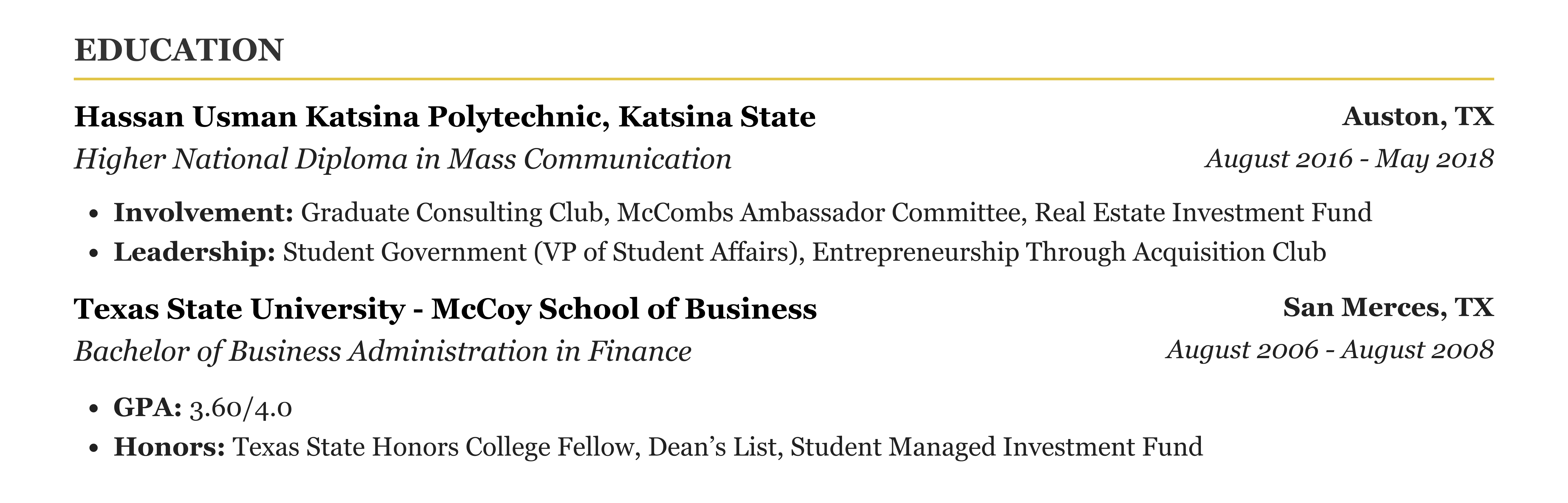
Keep it brief. List: Degree Title (e.g., Bachelor of Science in Computer Science), University Name, Graduation Year. That is it. Do not include GPA, coursework, or honors unless they are relevant to the specific role. Your professional achievements carry far more weight at this stage.
For recent graduates (0-3 years of experience)
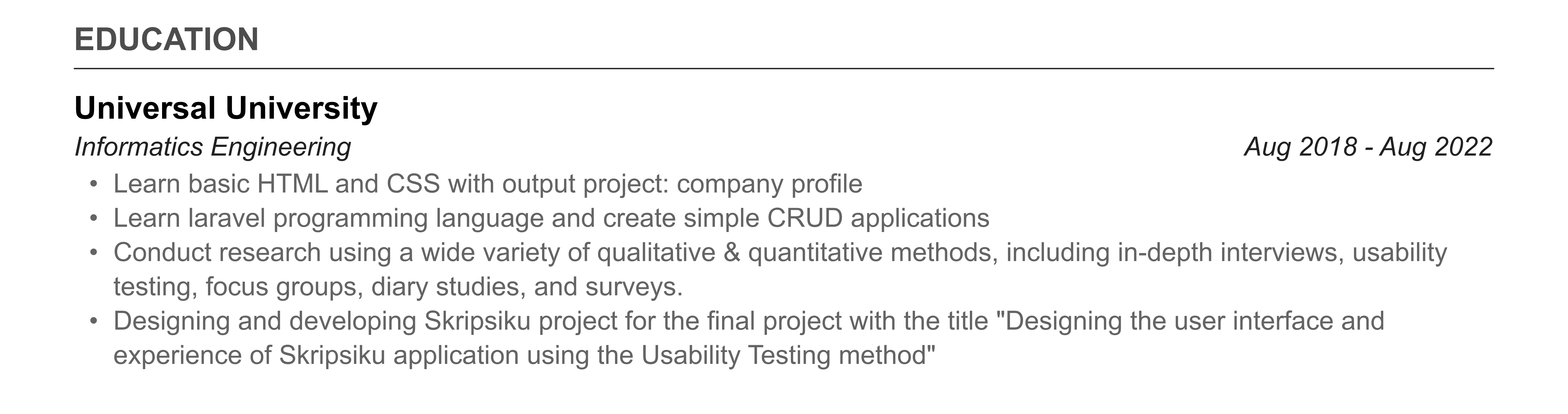
Your education section should be more prominent — move it above your work experience. Include: Degree Title, University Name, Expected or Actual Graduation Date, GPA (if 3.0+ on a 4.0 scale), Relevant Coursework (3-5 courses directly related to the target role), Academic Honors (Dean List, Cum Laude, scholarships), and Thesis or Capstone Projects (if relevant).
Common education section mistakes
- •Forgetting certifications — Industry certifications (PMP, CPA, AWS, Google Analytics) often matter more than your degree. List them prominently.


Step 6: Build a Skills Section That Works for Both Humans and ATS
Your skills section serves two critical purposes: it helps ATS systems match you to job openings through keyword matching, and it gives recruiters a quick-scan overview of your capabilities. This section is your keyword goldmine for ATS matching.
How to organize your skills section
Group skills into categories for easy scanning. Example for a Marketing Manager: "Digital Marketing: Google Ads, Meta Ads, LinkedIn Ads, SEO/SEM, Content Marketing, Email Marketing. Analytics: Google Analytics 4, Mixpanel, Tableau, Looker, A/B Testing. Tools: HubSpot, Salesforce, Mailchimp, Asana, Figma. Certifications: Google Analytics Certified, HubSpot Inbound Marketing Certified."
What to include vs. what to leave off
- •DO include: Technical skills, software tools, programming languages, industry-specific methodologies, certifications, languages spoken.
- •DO NOT include: Generic soft skills (team player, communicator, problem solver) — these belong in your bullet points, demonstrated through actions, not listed as skills.
- •DO NOT include: Microsoft Office (unless the job specifically asks for it) — it is assumed in 2026.
- •DO include: Skills that appear in the job description you are applying for. Mirror their exact terminology.
Step 7: Add Additional Sections That Strengthen Your Resume
Optional sections can differentiate you from other candidates with similar qualifications. These sections are not mandatory, but when used correctly, they add depth to your profile.
- •Certifications and Licenses — Industry certifications (AWS Solutions Architect, PMP, CPA, Series 7, teaching license). These are often ATS keywords that hiring managers specifically filter for.
- •Projects — Relevant personal or professional projects that demonstrate skills not covered in your work experience. Especially valuable for career changers and students.
- •Publications and Speaking — If you have published articles, research papers, or spoken at conferences, this establishes you as a subject matter expert.
- •Volunteer Work — Demonstrates leadership and values. Particularly useful for students or professionals with limited work experience.
- •Languages — If you speak multiple languages, list them with proficiency levels (Native, Fluent, Conversational, Basic).
- •Awards and Honors — Industry awards, sales performance awards, employee of the month/quarter/year.


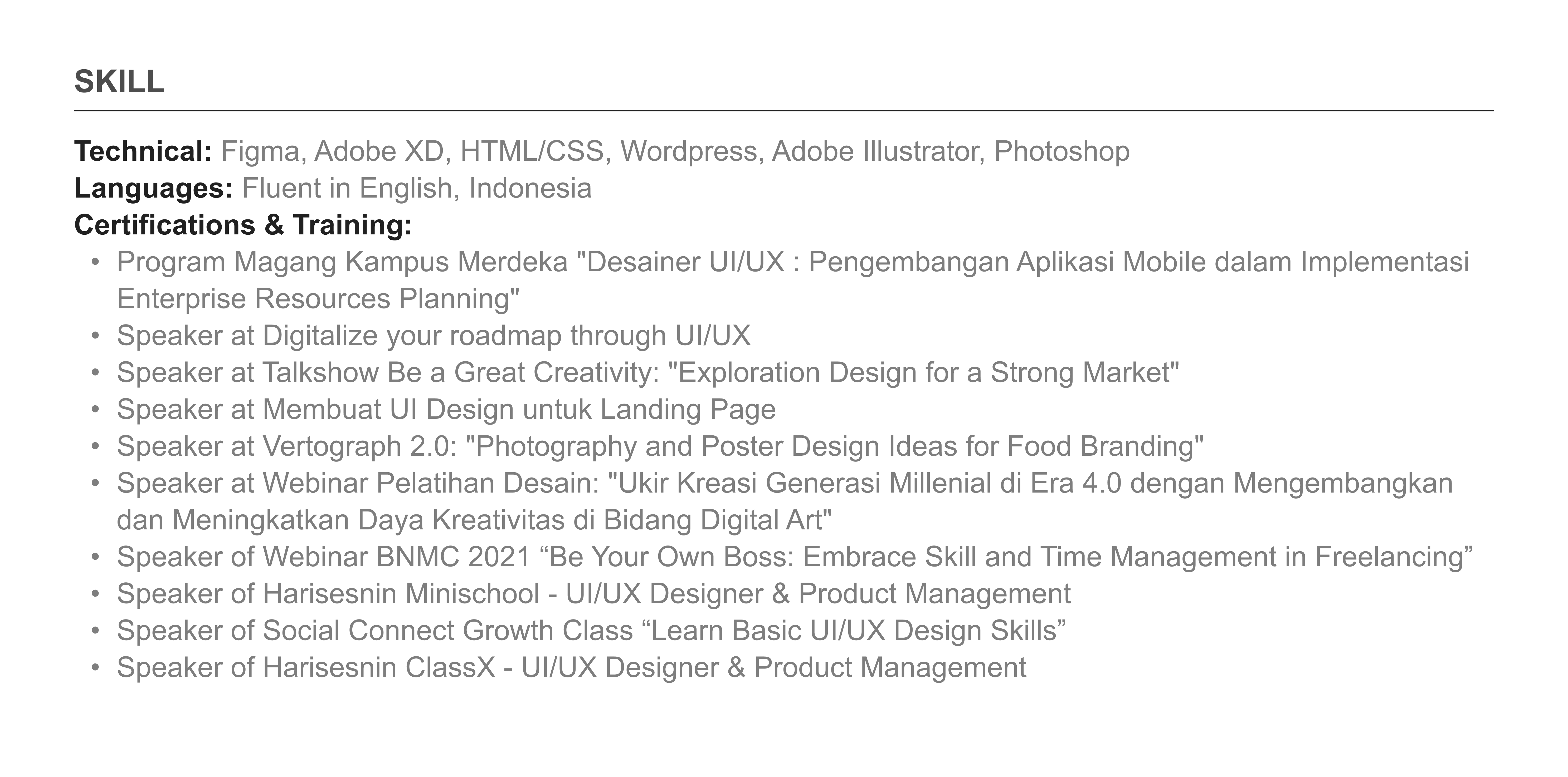

Your skills section is your ATS keyword goldmine. Mirror the exact terminology from the job description.
Step 8: Optimize Your Resume for ATS (Applicant Tracking Systems)
ATS optimization is not about "tricking" the system. It is about ensuring that the system can accurately read and categorize your information. Think of it as speaking the same language as the machine that stands between you and the recruiter.
ATS formatting rules
- •Use a single-column layout — No sidebars, no multi-column designs. ATS parsers read left-to-right, top-to-bottom.
- •Use standard section headings — "Work Experience" not "My Professional Journey." "Education" not "Academic Background." "Skills" not "My Toolkit." ATS systems look for standard labels.
- •Do not use text boxes, tables, or graphics — Text inside these elements is often invisible to ATS parsers.
- •Do not put critical information in headers or footers — Many ATS systems skip header/footer content entirely. Your name and contact info must be in the document body.
- •Use standard fonts — Calibri, Arial, Helvetica, Inter, or Garamond. Avoid decorative or custom fonts.
- •Save as .docx for maximum compatibility — PDF works too, but ensure the text is selectable (not a scanned image).
- •Do not use abbreviations without spelling out the full term — Write "Search Engine Optimization (SEO)" the first time to match both versions.
Keyword matching strategy
Read the job description carefully and identify the key skills, tools, certifications, and qualifications mentioned. Then ensure those exact terms appear in your resume. If the job asks for "project management" and you wrote "managing projects," you might miss the keyword match. Use their exact phrasing. If a skill appears multiple times in the job description, it is a priority keyword — make sure it appears prominently in your resume.
Step 9: Tailor Your Resume for Every Application
Sending the same generic resume to 50 jobs is the #1 reason most job seekers do not get callbacks. Recruiters and ATS systems are looking for relevance to the specific role. A well-tailored resume beats an impressive but generic resume every time.
How to tailor efficiently (without rewriting from scratch)
- •Keep a master resume — One comprehensive document with all your experience, skills, and achievements. This is your source document. It should be 3-4 pages and include everything.
- •Create a tailored version for each application — Copy your master resume, then cut and rearrange to match the specific job. Move the most relevant experience and skills to the top.
- •Adjust your professional summary — Rewrite the 2-4 sentences to directly address the job requirements. If the role emphasizes team leadership, lead with your leadership experience.
- •Rearrange bullet points — Move the most relevant achievements to the top of each work experience section. Delete bullets that are not relevant to this specific role.
- •Mirror their language — If the job posting says "stakeholder management," use that exact phrase. If they say "cross-functional collaboration," use that term.
- •Update your skills section — Prioritize skills mentioned in the job description. Move matching skills to the top of your list.
Tailoring a resume typically takes 15-20 minutes per application once you have a solid master resume. That time investment dramatically increases your callback rate compared to mass-sending the same version.
Step 10: Proofread, Format, and Finalize
A single typo can cost you an interview. According to a CareerBuilder survey, 77% of hiring managers immediately disqualify candidates with typos or grammatical errors. Your resume is a writing sample, and errors suggest carelessness.
The proofreading checklist
- •Run spell check in your word processor (but do not rely on it alone — it misses context errors).
- •Read your resume out loud. Your ear catches errors your eye misses.
- •Check for consistency: Are all dates in the same format? Are all bullet points punctuated the same way? Are all job titles formatted consistently?
- •Verify all company names and job titles are spelled correctly.
- •Ask someone else to read it. A fresh pair of eyes catches mistakes you will miss because you are too close to the content.
- •Print it out. Errors are easier to spot on paper than on screen.
- •Check for orphan lines — a single word or line on a page by itself looks sloppy.
Final formatting checks
- •Margins: 0.5 to 1 inch on all sides. Standard is 0.75 inch.
- •Font size: 10-12pt for body text, 14-16pt for your name, 11-12pt for section headings.
- •Line spacing: 1.0 to 1.15 for body text.
- •File name: FirstName-LastName-Resume.pdf (not "resume final final v3.docx").
- •Page length: 1 page for 0-10 years experience. 2 pages maximum for 10+ years. Never exceed 2 pages.
- •White space: If your resume feels cramped, cut content rather than shrinking margins or font size. Readability matters.
William Clarkson
JUNIOR ACCOUNTANT
PROFESSIONAL SUMMARY
Results-driven Junior Accountant with a Bachelor of Business Administration in Accounting and ongoing pursuit of CPA certification. Demonstrated expertise in financial analysis, reporting, and accounting software implementation. Proven track record of delivering measurable results, including a 10% reduction in unnecessary expenses through strategic analysis and a 20% increase in efficiency through software integration. Recognized for accuracy, efficiency, and commitment to compliance with GAAP and regulatory standards.
EDUCATION
Bachelor of Business Administration Accounting
University of California, Davis
EXPERIENCE
Junior Accountant - Green Balance, Davis, CA
- Conducted monthly financial analysis to identify variances and trends, resulting in a 10% reduction in unnecessary expenses.
- Assisted in the preparation of quarterly financial statements, ensuring accuracy and compliance with regulatory standards.
- Implemented new accounting software, resulting in a 20% increase in efficiency in financial reporting processes.
- Managed accounts payable and accounts receivable functions, reducing outstanding balances by 15% within six months.
- Reconciled bank statements and resolved discrepancies, leading to a 98% accuracy rate in financial records.
Accounting Assistant - FinoPro, Davis, CA
- Assisted senior accountants in preparing tax returns for clients, resulting in a 20% decrease in errors compared to the previous year.
- Conducted audits of financial transactions to ensure compliance with internal policies and regulatory requirements.
- Provided support in month-end closing activities, including journal entries and balance sheet reconciliations.
TECHNICAL SKILLS
- Account Monitoring
- Financial Modeling
- Tax Planning
- Accounts Payable
- Cost Accounting
- Financial Reporting
- Account Analysis
- Account Reconciliation
- Financial Analysis
- Accounts Receivable
- Invoicing
- Payroll
- Auditing
- Excel
- QuickBooks
- Organizational Skills
- Problem-Solving
- Communication Skills
- Generally Accepted Accounting Principles (gaap)
- Analytical Skills
- Data Visualization
- Adp Workforce Now
- Expensify
CERTIFICATIONS
A sophisticated, high-end template for professionals who want to stand out with style and authority.
Use This TemplateComplete Resume Outline: The Section-by-Section Structure
Here is the complete resume outline you should follow, in exact order. This is the same structure used by 9 out of 10 successful resumes I have reviewed.
- •1. Contact Information — Full name, phone, email, LinkedIn URL, location (city/state)
- •2. Professional Summary — 2-4 sentences using the formula: [Title] + [Years] + [Specialization] + [Key Achievement] + [Core Skills/Tools]
- •3. Work Experience — 2-4 positions, each with 3-5 achievement-focused bullet points using the Action Verb + Task + Result formula
- •4. Education — Degree, university, graduation year (plus GPA, coursework, and honors for recent graduates)
- •5. Skills — Grouped by category, mirroring keywords from the target job description
- •6. Additional Sections (optional) — Certifications, Projects, Languages, Publications, Volunteer Work, Awards
How Long Should Your Resume Be?
This is one of the most debated questions in resume writing. Here is the definitive answer based on recruiter data: if you have fewer than 10 years of relevant experience, your resume should be one page. If you have 10 or more years of relevant experience, two pages are acceptable. If you are in academia, medical, or federal government, CVs can be longer. Every other situation: one page. No exceptions.
One page is not a limitation. It is a discipline. It forces you to include only the most relevant, impactful information. A one-page resume with five strong achievement bullets is infinitely more effective than a two-page resume padded with duty-based descriptions.
Frequently Asked Resume Writing Questions
Should I use a resume objective or a professional summary?
Professional summary, almost always. An objective states what you want ("Seeking a role in..."). A summary states what you offer ("Marketing Manager with 6 years of experience..."). Employers care about what you bring to the table, not what you are looking for. The only exceptions: complete career changers and first-time job seekers with zero experience.
Can I use ChatGPT or AI to write my resume?
AI tools can help you brainstorm, rephrase bullet points, and check for grammatical errors. But a fully AI-generated resume reads generic and lacks the specific details that make resumes compelling. The best approach is to write the core content yourself (using the formulas in this guide), then use AI to polish the language and check for ATS optimization. Tools like CVArchitect combine your specific experience with AI-powered optimization to produce tailored, authentic resumes.
How do I write a resume with no work experience?
Focus on what you do have: academic projects (framed as professional achievements), volunteer work, club leadership, freelance or personal projects, internships, and relevant coursework. Use the same achievement formula — Action Verb + What You Did + Result — applied to academic and extracurricular accomplishments. "Organized a campus fundraiser that raised $3,200 for local food bank through social media promotion and 15-vendor coordination" is a perfectly strong bullet point.
Do I need a different resume for every job application?
Yes, but you do not need to start from scratch each time. Keep a master resume with all your experience, then create tailored versions by rearranging bullet points, adjusting your summary, and updating your skills section to match each job description. This takes 15-20 minutes per application and dramatically increases your success rate.
CVArchitect walks you through each section of your resume step by step, using AI to help you transform generic duty descriptions into powerful achievement statements with quantified results. It follows the exact resume outline and format recommended in this guide, and automatically tailors your resume to specific job descriptions — saving you hours of manual tailoring work.
William Clarkson
JUNIOR ACCOUNTANT
PROFESSIONAL SUMMARY
Results-driven Junior Accountant with a Bachelor of Business Administration in Accounting and ongoing pursuit of CPA certification. Demonstrated expertise in financial analysis, reporting, and accounting software implementation. Proven track record of delivering measurable results, including a 10% reduction in unnecessary expenses through strategic analysis and a 20% increase in efficiency through software integration. Recognized for accuracy, efficiency, and commitment to compliance with GAAP and regulatory standards.
EDUCATION
Bachelor of Business Administration Accounting
University of California, Davis
EXPERIENCE
Junior Accountant - Green Balance, Davis, CA
April 2022 – Present- Conducted monthly financial analysis to identify variances and trends, resulting in a 10% reduction in unnecessary expenses.
- Assisted in the preparation of quarterly financial statements, ensuring accuracy and compliance with regulatory standards.
- Implemented new accounting software, resulting in a 20% increase in efficiency in financial reporting processes.
- Managed accounts payable and accounts receivable functions, reducing outstanding balances by 15% within six months.
- Reconciled bank statements and resolved discrepancies, leading to a 98% accuracy rate in financial records.
Accounting Assistant - FinoPro, Davis, CA
May 2018 – April 2022- Assisted senior accountants in preparing tax returns for clients, resulting in a 20% decrease in errors compared to the previous year.
- Conducted audits of financial transactions to ensure compliance with internal policies and regulatory requirements.
- Provided support in month-end closing activities, including journal entries and balance sheet reconciliations.
TECHNICAL SKILLS
- Account Monitoring
- Financial Modeling
- Tax Planning
- Accounts Payable
- Cost Accounting
- Financial Reporting
- Account Analysis
- Account Reconciliation
- Financial Analysis
- Accounts Receivable
- Invoicing
- Payroll
- Auditing
- Excel
- QuickBooks
- Organizational Skills
- Problem-Solving
- Communication Skills
- Generally Accepted Accounting Principles (gaap)
- Analytical Skills
- Data Visualization
- Adp Workforce Now
- Expensify
CERTIFICATIONS
Follow our step-by-step guide and use this template to build your highest-performing resume yet.
Use This Template